Resident Evil 7 Biohazard is the latest AAA title to hit Apple platforms. The game originally launched on PS4, Xbox One, and PC back in 2017, and has since appeared on a number of other platforms, including the Nintendo Switch and even the now-defunct Google Stadia. Now, it’s available on the iPhone 15 Pro and all iPad and Mac models with M-series chips.
RE7 is a highly celebrated entry in the RE library, even by the series’ generally high standards. It was a return to the franchise’s roots with a strong focus on survival horror over the action and gunplay that dominated the previous two games. It was also the first to shift to a more intimate first-person view for the character, making the body horror especially visceral and effective.
RE7 tells the story of Ethan Winters, whose wife disappears for three years until one day she sends him a cryptic message calling him to a house in a remote part of Dulvey, Louisiana. While it’s creepy enough, nothing could have prepared Ethan for the horrors that await him there.
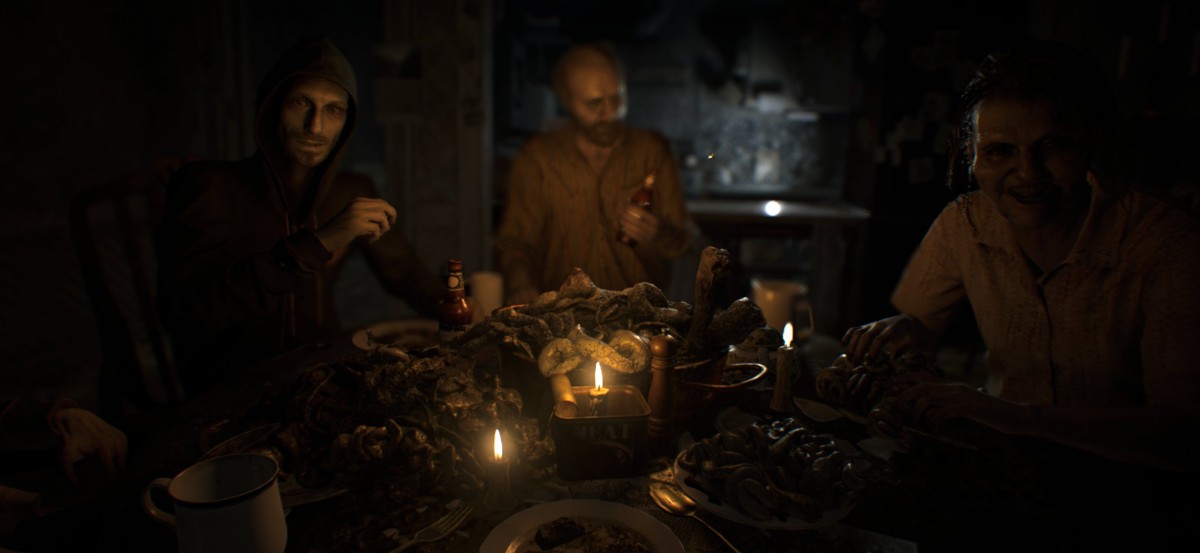
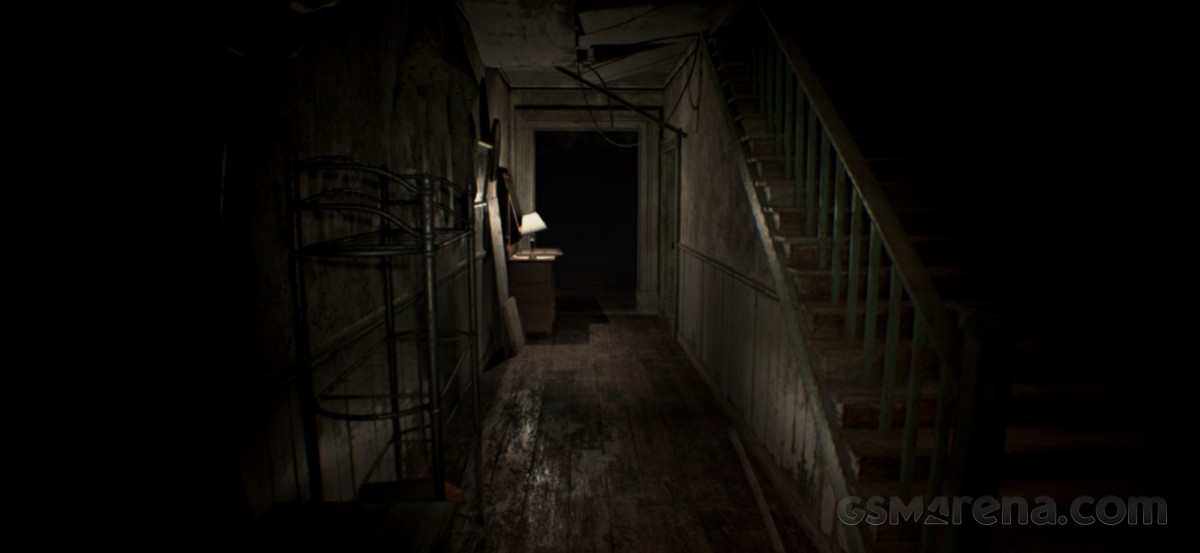
RE7 was a fantastic return to the series’ original form, which was originally known for its survival horror gameplay. It is, without a doubt, the scariest game in the entire series, and the opening mission in particular often has you standing rooted to the spot, too scared to move, even though all you’re expected to do is walk around this seemingly empty house. The long, dark hallways of the opening area are particularly reminiscent of PT, a short horror demo made by Hideo Kojima and Guillermo del Toro for a game that never came to fruition.
RE7 makes incredible use of darkness, the tunnel vision that comes with the flashlight, and the dilation of your pupils as you enter a new room in the house or pan the camera. Your mind is clamoring for your eyes to give it more information that the game won’t, while all the while being acutely aware of every creak emanating from this decrepit old place. Did you see something moving in the shadows up ahead? Well, tough luck, because that’s where you’re expected to go next.
RE7 on Apple platforms is the exact same game that was released on other platforms previously. On the iPhone, the initial free download from the App Store is 1.19 GB. After that, the game prompts you to download an additional 10 GB when you launch it. If you choose to purchase the full game via in-app purchase, you’ll be prompted to download another 14 GB or so. Once fully downloaded, the game will take up about 25 GB of storage without the DLC and 31 GB with the DLC.
The game’s DLC includes the Gold Edition upgrade, which includes an additional story mission, “End of Zoe,” and two minigames called Banned Footage Vol 1 and Vol 2. The Gold Edition upgrade costs $20 USD, in addition to the $20 USD for the full base game. However, you can download the base game for free, which includes the first chapter.
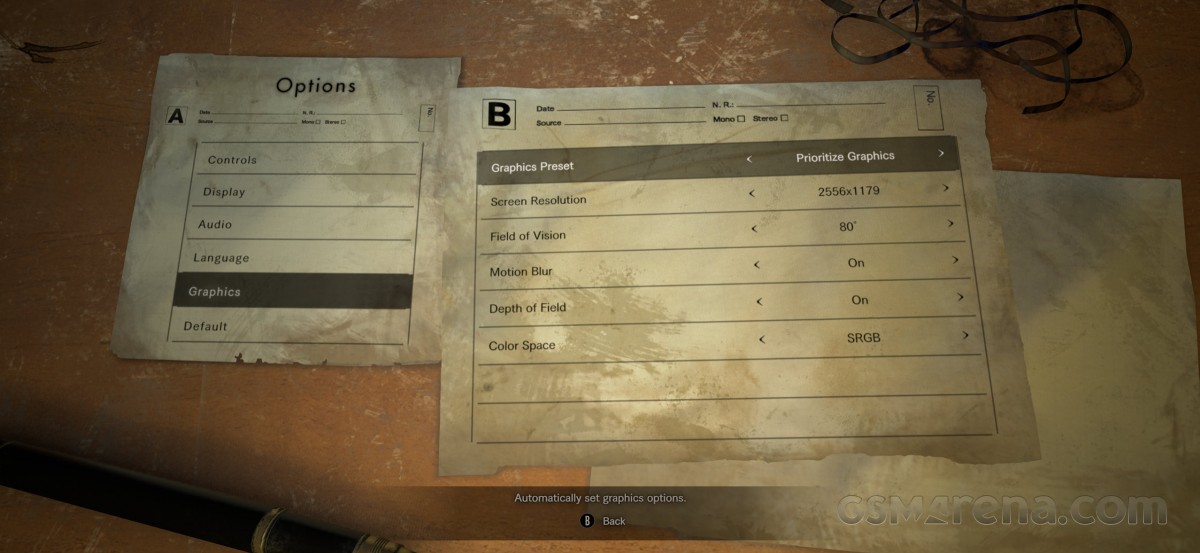
The review will focus on the game’s technical performance, as tested on the iPhone 15 Pro. Like Village, RE7 brings back adjustable graphical settings and resolution, but in a more minimalistic way. You don’t get the full PC-like graphical settings you get in Village, but there are three graphical presets available that let you switch between Prioritize Performance, Prioritize Graphics, and a Balanced mode.
Starting off with the Prioritize Graphics default setting, the game presents an impressive image considering its age and the platform. You get dense foliage in the few outdoor scenes you get early on with decent texture resolution, slightly blurry but present screen-space shadows and reflections on bodies of water. Indoors, you’ll notice subtle details like volumetric crepuscular rays piercing the musty interiors, along with cascading shadow maps. And when enemies try to stab you in the face, you’ll notice a soft depth of field effect on the knife.

Switching from Prioritize Graphics to Balanced has a fairly small impact on graphics, to the point where it’s not immediately obvious. Only after much digging was it possible to notice even blurrier screen-space reflections, slightly lower-resolution shadow maps, and reduced ambient occlusion.
There’s nothing subtle about the Prioritize Performance preset, though, which looks noticeably worse. There’s reduced geometric density outdoors with less foliage and simpler meshes for plants. Texture resolution is completely reduced to the point where it’s almost non-existent. All screen-space reflections, volumetric lighting, and ambient occlusion are also lost. Depth of field is also less accurate, making it look like screen blur rather than smooth camera blur. Finally, shadows are noticeably boxier.












Prioritize graphics • Balanced • Prioritize performance
The game also lets you choose the resolution. On the iPhone 15 Pro, you could choose between native resolutions of 2556×1179, 2342×1080, 1952×900, and 1560×720. The game then seemingly uses MetalFX’s anti-aliased temporal resolution upscaling to upsample the image to the display’s native resolution if you choose a lower value. However, there were noticeable checkerboard artifacts in the image even when running the game natively, suggesting the game might be using the RE engine’s interlacing feature, which runs the game at half the resolution on one of the axes.
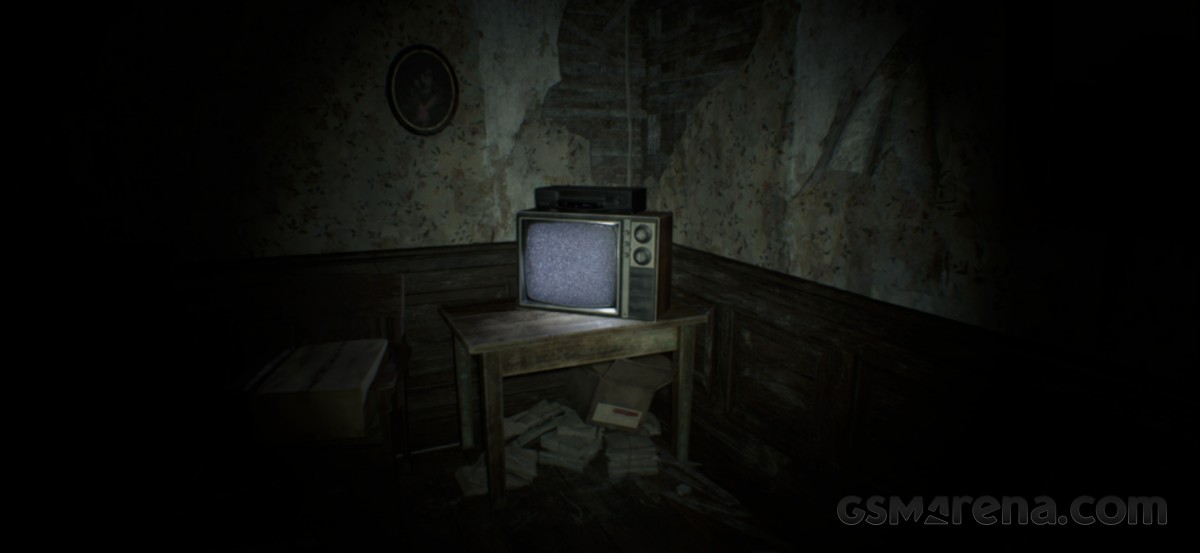
The resulting image can be quite soft at times, but the game’s design allows for this to happen. RE7 has a heavily post-processed look with significant lens blur and chromatic aberration effects along with motion blur to create almost a found footage horror movie look. The softer look adds to the VHS quality the game is going for, though it can be a bit too soft at times, especially during the actual VHS video cutscenes that play out in some of the chapters.
Overall image quality is still pretty good, though. Most of the game takes place in very dark environments, which hides a lot of its visual flaws, and what you do see looks pretty good. The performance preset is dialed down a lot, but is still usable, while higher presets would look better on devices with more GPU processing power and memory.
The game plays in ultrawide on the iPhone, so you get a wider field of view compared to the 16:9 format. However, some of the pre-rendered cutscenes will play in 16:9 with black bars on the sides.
In terms of performance, RE7 once again does well. The game is known for being exceptionally light in terms of rendering load, which is why it was one of the few AAA titles on the base PS4 to run at 60fps at the time. The default performance setting on the iPhone targets a similar 60fps lock, while Balanced and Graphics are locked at 30fps. Setting the game to 720p and the default performance setting sees the iPhone 15 Pro sticking to a near-locked 60fps most of the time. In fact, the device doesn’t even seem stressed, as it barely heats up. You can try increasing the resolution, but the difference isn’t very noticeable.
Unfortunately, the most noticeable visual improvements in Balanced Mode and Graphics Mode come with a halving of the frame rate. Now, RE7 is the kind of game you can play at 30fps due to its deliberately slow gameplay pace. However, once you get used to the smooth 60fps in Performance Mode, it’s hard to stick with the other presets, no matter how much better they look.
If you think differently, then the Balanced preset would be the one to go for as the imperceptibly better graphics preset often struggles to maintain 30fps even at the lowest resolution and since these presets tax the phone’s hardware, it definitely gets hot while running.
One final note on visuals concerns HDR. RE7 on iOS makes use of the iPhone 15 Pro models’ excellent HDR displays. However, the game is even more aggressive in HDR, making it only suitable for playing in dimly lit or completely dark environments. If you’re having trouble seeing things, you might want to disable HDR at the cost of some brightness and contrast in the highlights. You can also further calibrate the image in SDR, something you can’t do in HDR.
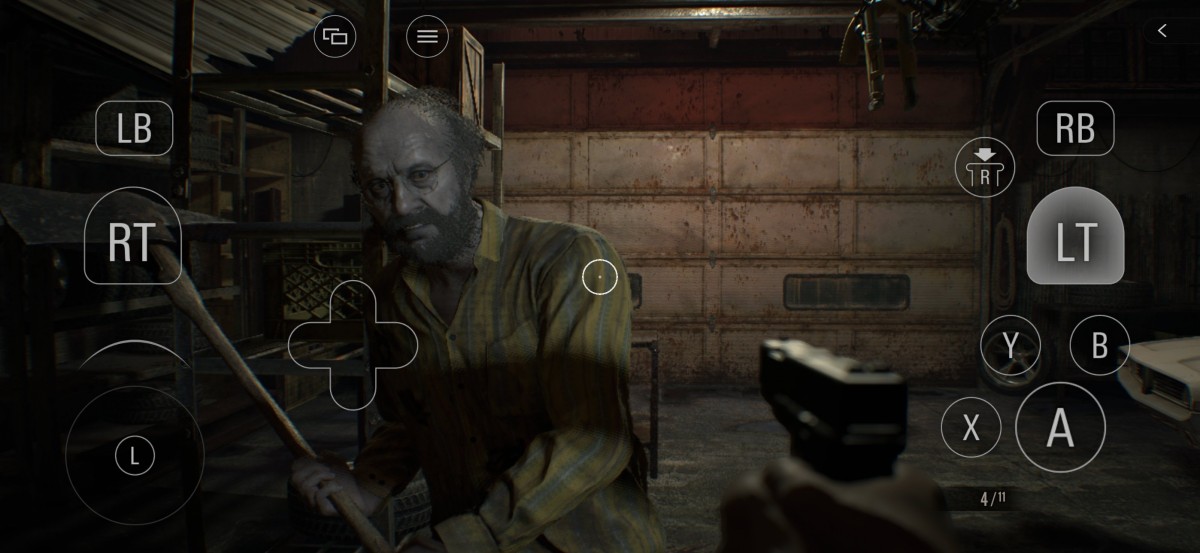
RE7 features touch controls similar to the two previous RE games on the platform. The controls work reasonably well at first, when you’re just walking around and not firing weapons. Once you get your hands on weapons, though, it’s difficult to aim, shoot, and move at the same time, since it’s basically just control buttons placed on a touchscreen. The game bluntly recommends using a controller every time you start it up, so it’s probably best to take that recommendation seriously. Also, no, there’s no mouse and keyboard support.
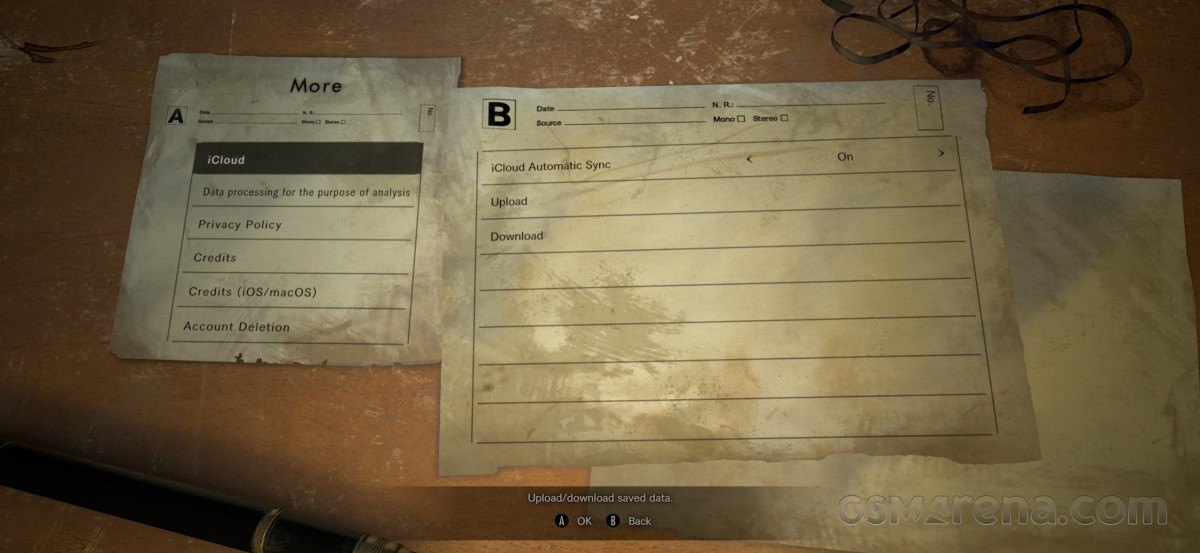
Finally, RE7 on the iPhone supports iCloud cloud saves and syncing. It’s a universal app that works across iOS, iPadOS, and macOS once purchased, and saves can be synced and accessed across all of these platforms. As before, you can’t import your saves from other platforms like Steam.
Overall, Resident Evil 7 Biohazard is an impressive title for the iPhone. The game’s age and lightweight graphics help it run like a champ even on this pocket-sized device and the graphics are perfectly workable on the small screen. At the same time, it’s one of the best horror games ever made. With all that in mind, RE7 on the iPhone is an easy recommendation. Just make sure you have a controller and a spare change of pants.